UX Research Documentation System
Tait Communications, 10-week internship, 2025
UX research is only useful if you can find it, understand it, and build on it. At Tait Communications, serving emergency services, utilities, and transport clients, research was being produced that disappeared into project folders. Over 100 documents organised by customer or project, no cross-referencing, no shared taxonomy, and no way to surface relevant work unless you already knew exactly where to look.
Newer team members had a second problem: no clear starting point for running research at all. Preparation was taking 4–6 hours per session, and inconsistent outputs meant findings couldn't be meaningfully compared across studies.
I was brought in as an intern to design a system that solved both problems. The result was a working MVP organised around three core activities.
DO
Scaffolding the research process: question library, guided interview structure, session templates.
LEARN
Making research findable and usable: AI extraction, controlled vocabulary, human review.
TELL
Communicating findings: Power BI dashboards, cross-study synthesis, traceable evidence.
The Problem
The team's research process had three distinct failure points. Research files were stored by project or customer with inconsistent naming and no shared vocabulary. Relevant prior work was invisible unless you already knew where to look, and findings that should have been driving product decisions were being lost, or never found in the first place.
For less experienced researchers, the problem compounded. There was no shared standard for how sessions should be structured, what questions to ask, or how to document outputs in a way that would be useful later. The institutional knowledge lived in people, not in systems.
Research
I conducted informal interviews with members of the UX team and adjacent teams, and analysed existing write-ups and templates as artefacts of current behaviour: what people were actually doing, not just what the process was supposed to be.
A card sorting exercise helped surface the vocabulary the team were already using inconsistently, which became the foundation for the taxonomy. Formalising implicit knowledge rather than replacing it meant the system felt familiar rather than imposed. A taxonomy the team helped build is one they're more likely to maintain.
The mixed seniority of the team shaped every design decision. The system had to work for someone running their first interview and someone who had been doing this for years, without patronising either.
DO: Scaffolding the Research Process
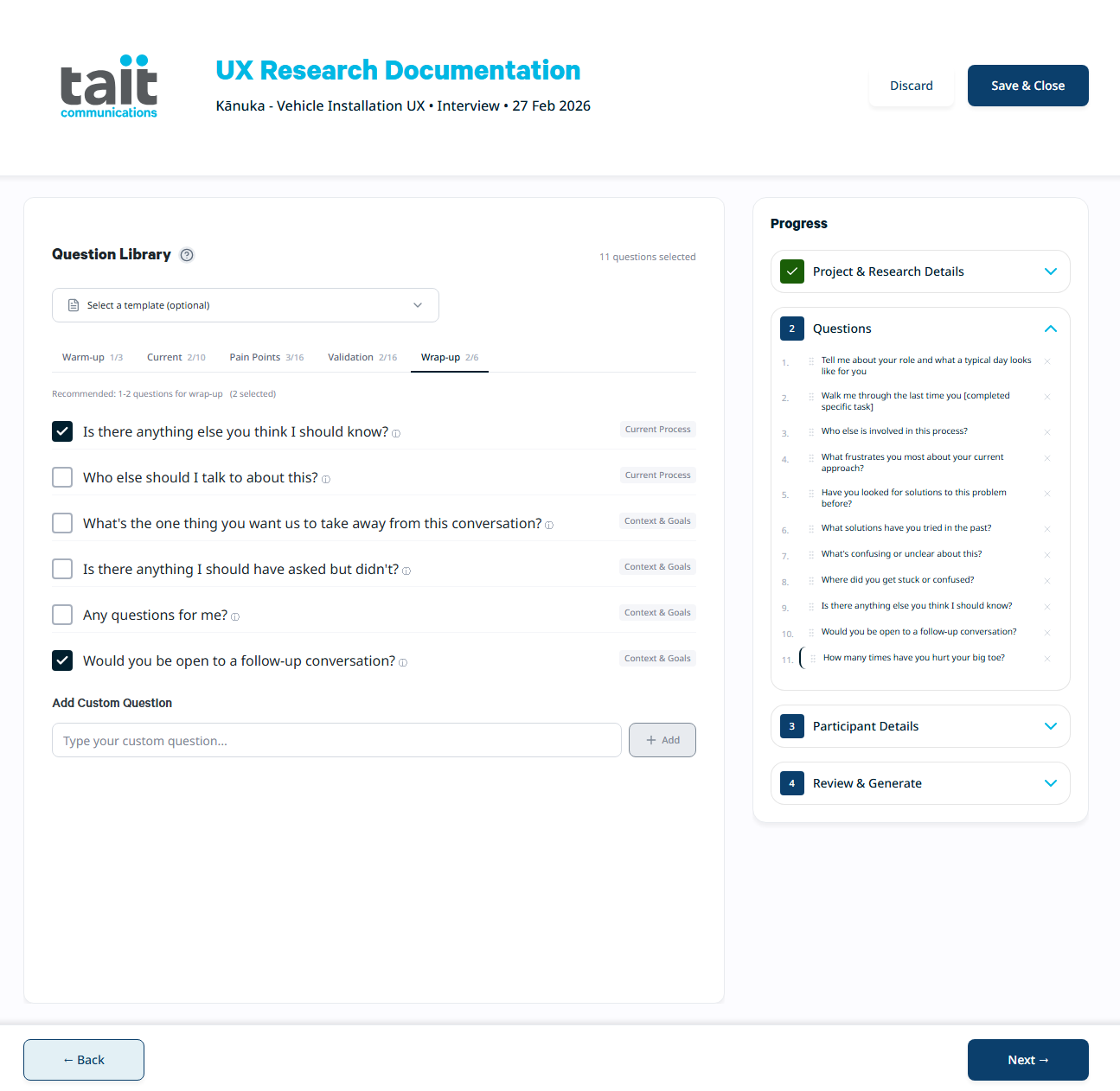
Question library organised by session phase, aligned to the team's DETL framework.
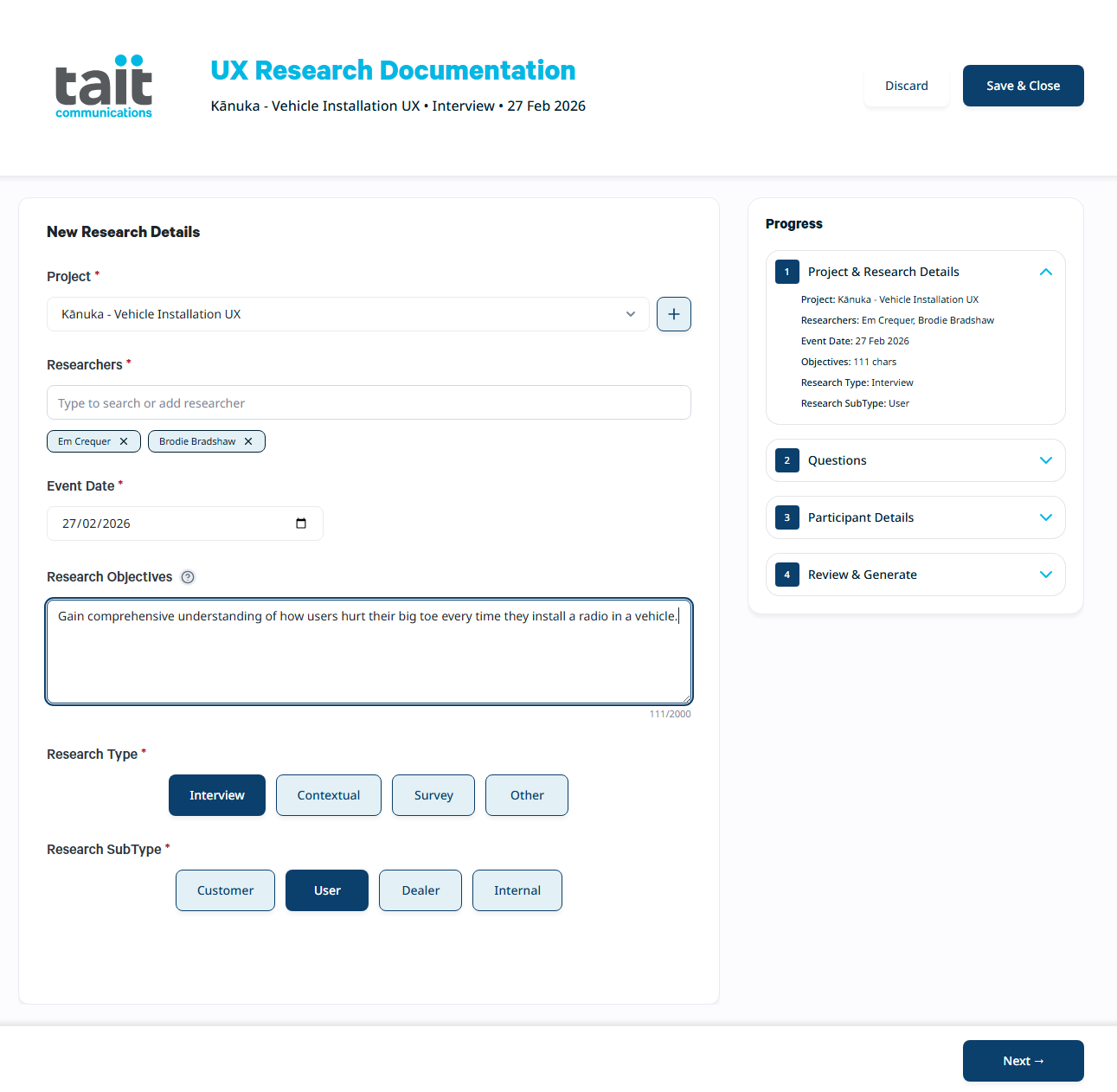
The core of the DO layer is a guided interview system built around 138 research questions, organised by session phase and aligned to the team's existing DETL framework (Discover, Explore, Test, Listen). Grounding the question structure in a methodology the team already used meant the system felt like an extension of existing practice.
The session phase structure (Warm-up, Current Behaviour, Pain Points, Validation, Wrap-up) gives researchers a natural interview arc to work from, with recommended question counts for a standard 60-minute session. The interface flags when selections are outside the recommended range but doesn't block progression. Researchers know their sessions better than the system does.
Design decision
The print templates were deliberately constrained in their note-taking space. The intent was to encourage researchers to use recordings and transcripts rather than trying to capture everything on paper, which tends to interrupt the conversation and reduce the quality of interaction with the participant.
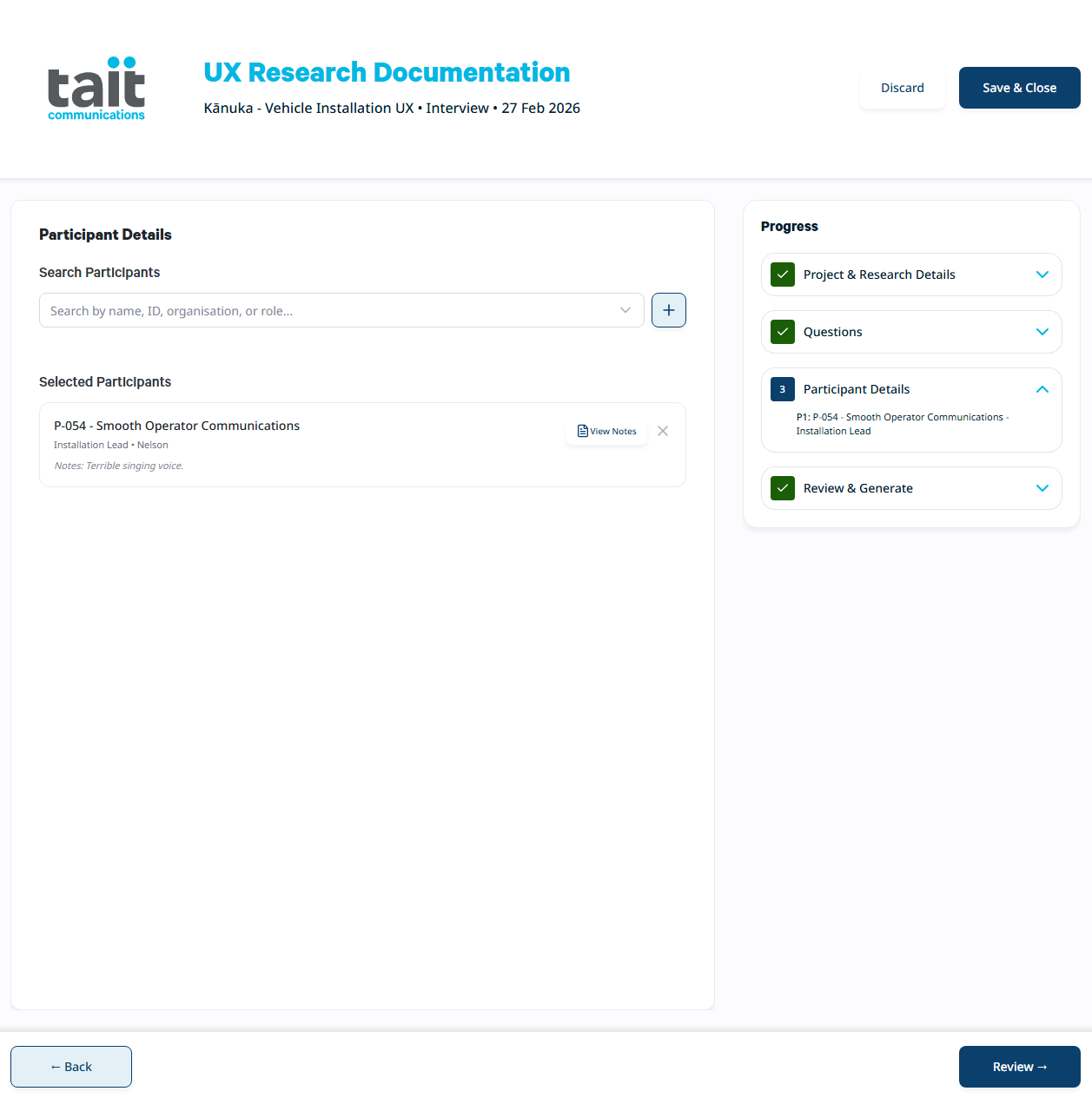
Participants are referenced by ID throughout, keeping personal information separate from research outputs.
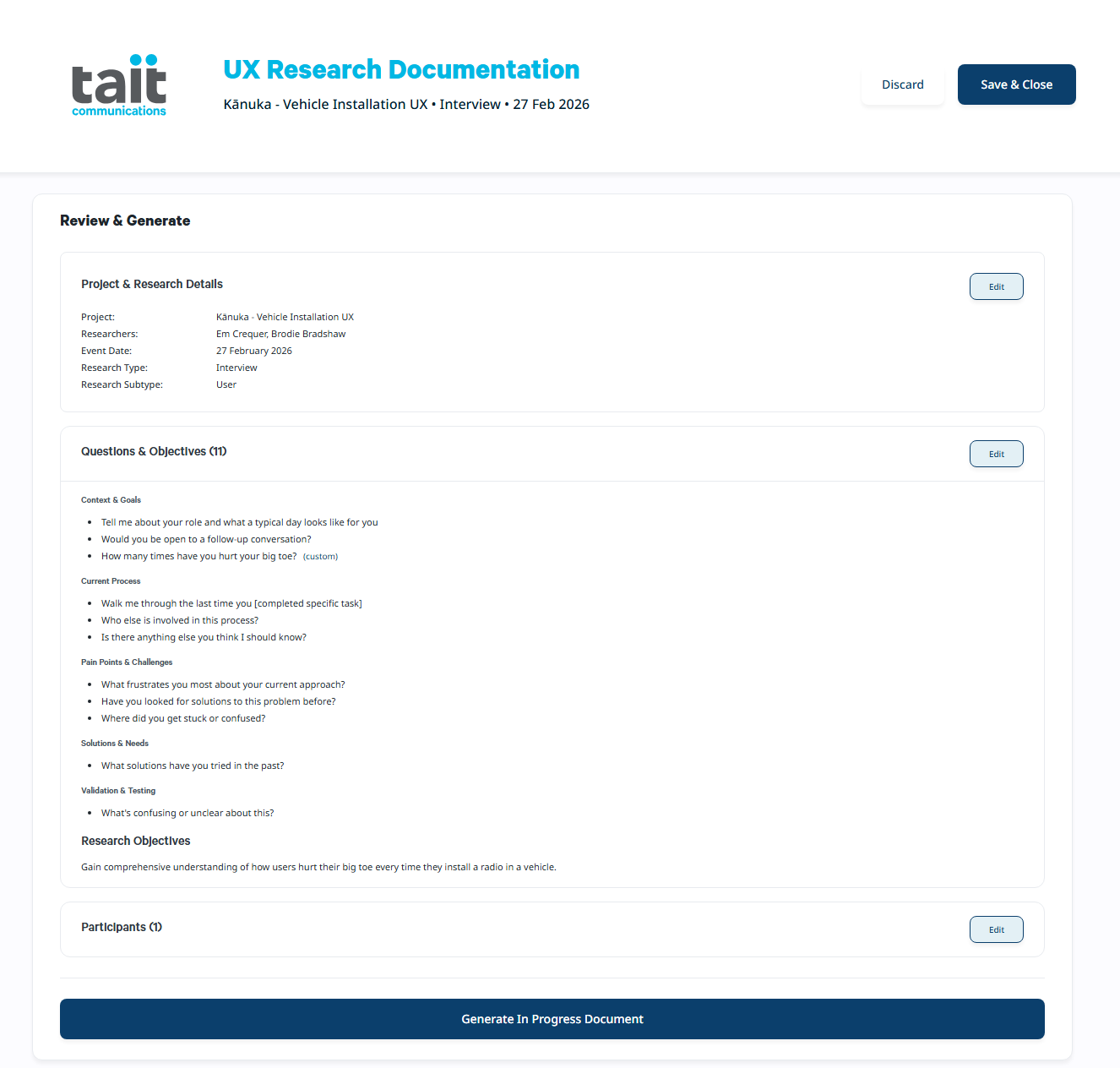
The Review and Generate screen gives researchers a final check before the session document is created.
LEARN: Making Research Findable
The LEARN layer is where raw research outputs become structured, searchable knowledge, and where the biggest friction reduction happens.
A Power Automate flow incorporating AI Builder handles automated extraction of themes, pain points, feature requests, usability issues, and key quotes from completed research notes. This was a central design decision, not an add-on. Without it, the overhead of tagging and categorising outputs after every session would have been significant enough to discourage people from using the system at all.
Design decision
Keeping a human-in-the-loop review step was equally deliberate. AI extraction is a starting point, not a final answer. Researchers validate each finding, correct categorisations, and add anything the AI missed. The system never commits findings to the database without researcher approval.
The controlled vocabulary the system enforces was derived from the card sorting exercise, formalising what the team were already using inconsistently, supplemented by what they should have been using to enable proper cross-project synthesis. AI must select from approved category lists rather than generating free text, which ensures findings from different studies are actually comparable.
PII scrubbing is built into the extraction step: names replaced with roles, locations generalised, contact details removed. This is what makes findings safe to share broadly across the organisation.
TELL: Communicating Findings
The Power BI dashboard and Power Automate flows were fully functional and tested against existing research documents the team had on hand. The dashboard was built on a star schema designed to support cross-synthesis, surfacing patterns across projects, products, and participant groups rather than reporting on individual studies in isolation.
The structured data enables queries that were previously impossible: all usability issues with a specific product line, a comparison of dealer versus customer feedback on the same feature, every pain point raised in the last 90 days. Product decisions can cite specific, traceable evidence rather than a vague sense of what users want.
Privacy Architecture
Privacy was designed in from the start, not retrofitted. All research documents reference participant IDs rather than names, with the ID-to-name mapping stored separately with restricted access. This three-component data separation (research documents, participant list, consent forms) means insights can be shared broadly across the organisation without exposing personal information.
The architecture is compliant with the NZ Privacy Act 2020, GDPR, and ISO 27001, relevant given Tait's international client base in emergency services and utilities.
Design System
Tait had an existing brand identity but not a formalised component system for this kind of tool. The design system work was as much about translating an existing identity into something buildable as it was creating something new: 168 component variants across 9 components, with WCAG 2.1 Level AA compliance, a 4px baseline grid, and accessible colour and contrast decisions built in throughout.
Outcome
The MVP was demonstrated internally and received positive feedback. Notably, stakeholders from outside the UX team independently identified the system's potential for broader use, recognising that the structured, searchable insight format could serve Support, Services, Sales, and Training teams, not just UX researchers. That validation was a direct result of early architectural decisions: the controlled vocabularies and structured data format that make cross-team integration technically feasible without a redesign.
Budget wasn't available to extend the engagement beyond the internship. Full handover documentation was prepared so the project could be picked up. The Power BI and Power Automate components were production-ready, and the SharePoint integration architecture was documented for future implementation.